The HR software market has never offered more choice, and HR leaders can now choose from basic employee record systems, specialist workforce management software, global payroll platforms, talent management tools, HR compliance libraries, people analytics products, and AI-powered HR assistants.
Many suppliers position their product as an 'all-in-one' HR platform, and almost every provider promises automation, employee self-service, real-time workforce data, connected payroll and artificial intelligence.
Greater choice should make it easier to find the right HR software, but in practice, it can make the buying process more difficult.
The differences between an HRIS (Human Resource Information System), HRMS (Human Resource Management System) and unified HR platform aren't always clear. Two systems might list the same features, but provide very different levels of capability, connection and control.
One platform might offer basic time tracking, where another could connect worked hours with digital rotas, absence management, overtime approvals, payroll and labour cost reporting. Both can place a tick beside “time and attendance”, but they will not deliver the same result.
This makes the consequences of choosing the wrong HR platform more serious. An HR system can look impressive during a sales demonstration, but struggle with the realities of shift work, multiple locations, variable pay, subcontractors, complex approval routes or frontline employees who rarely use a desk.
It might store employee records effectively while leaving managers to run rotas, attendance, payroll changes, HR compliance and employee relations through spreadsheets, emails and manual workarounds.
The organisation then starts adapting around the software and HR accepts gaps because the platform cannot support an essential process. Operations build separate tools, payroll manually reconciles information from several systems, and managers stop using the HR software altogether.
The business ends up with a modern HRIS sitting on top of the same disconnected workforce processes it intended to replace.
In 2026, HR leaders need to ask a more practical question:
"Can this HR platform support how we manage people, work, compliance and pay, while improving our processes without creating new systems, gaps or manual workarounds?"
Shortcuts
Use the shortcuts below to move through the guide based on the outcomes that matter most to your organisation. Each section explains what buyers should look for, what questions to ask suppliers and where common gaps can appear during HR software procurement.
HR Software Is Moving Beyond the Employee Database
Traditional HRIS platforms such as BreatheHR, CharlieHR, and PeopleHR typically centre on employee records, documents, absence management, onboarding and employee self-service. While many have added adjacent capabilities, their foundations remain focused on managing HR information and administration rather than supporting complex workforce operations.
That traditional model is becoming less suited to the broader role HR technology now needs to play across the organisation.
HR leaders are expected to support workforce planning, productivity, manager capability, payroll accuracy, employee experience, HR compliance and organisational change. Operational leaders need to schedule people, control labour costs and understand workforce capacity. Finance needs dependable payroll and headcount information. Employees expect simple access to their records, requests and communications.
This has pushed HR software from being a system of record towards becoming part of the organisation’s day-to-day operating infrastructure.
The CIPD’s 2025 evidence review found that connected groups of HR practices tend to have a stronger relationship with performance and workplace outcomes than isolated interventions. Recruitment, development, performance, reward, employee voice and job design are more effective when they reinforce one another.
The same principle applies to HR technology. A recruitment system creates more value when the successful candidate moves directly into onboarding. Onboarding works better when the new employee’s information becomes their central record. Time tracking becomes more useful when it connects with rotas, absence and payroll. Performance management becomes more meaningful when goals, one-to-ones, development and employee information remain connected.
The issue isn't whether a platform has many features. It's whether those features form one coherent employment and workforce process.
HR Has Become More Data-Led, But the Data Remains Incomplete
HR leaders have made progress in establishing the function as a source of business evidence.
The CIPD’s 2026 HR Practices in Ireland report found that 80% of respondents believed perceptions of the HR function had improved, while 84% recognised HR’s contribution to evidence-based decision-making. Yet many organisations still struggle to produce a complete view of their workforce.
The CIPD and Railpen’s 2025 review of FTSE 100 reporting found that only 38% of organisations disclosed employee turnover rates. Just 15% reported their absence rate, while only one company disclosed recruitment costs.
Public reporting isn't the same as internal capability, but the gaps are revealing.
Many businesses can report headcount and total payroll cost. Fewer can readily explain why overtime is increasing, which locations have the highest turnover, how long vacancies remain open or whether absence is driving temporary labour costs.
This usually reflects a systems problem. Employee records sit in the HRIS, worked hours sit in a time system, and rotas sit elsewhere. Recruitment data remains in the applicant tracking system, payroll receives files from several sources, and employee relations cases might live in restricted spreadsheets or email folders.
Each system can perform its individual task while the organisation still lacks a usable workforce picture.
In 2026, people analytics shouldn't be treated as an optional reporting module. It depends on the quality and connection of the underlying data. After all, a dashboard cannot correct fragmented processes, it can only present the information it receives.
AI Has Become Standard Sales Language
Artificial Intelligence now appears in almost every HR software conversation, and some applications of AI (Artificial Intelligence) are genuinely useful.
AI can help create job descriptions, translate approved information, summarise records, find relevant policies and reduce repeated administration. It can help HR teams and managers access information more quickly.
The difficulty is that the term “AI-powered” can describe very different products.
One platform might use AI to retrieve information from approved organisational sources, where another might send a manager’s question to a general language model with limited company context.
These are not equivalent uses.
CIPD research published in April 2026 found that HR leaders were relatively confident about ethical data use and challenging decisions that could negatively affect employees. Confidence dropped when AI required deeper organisational change. Only around one-third felt confident estimating future workforce needs created by AI, 40% felt confident designing reskilling route, and 46% felt confident leading job redesign.
Governance also remains underdeveloped. In the CIPD and Railpen review of FTSE 100 reporting, only 14% of companies referred to an AI governance policy or strategy, while 13% reported providing AI skills training.
HR software buyers should therefore treat AI as a capability to examine, not a label to admire. The important questions concern data, context, permissions, accuracy and accountability.
-
What information does the AI use?
-
Does it know the organisation’s policies and processes?
-
Can it access employee data?
-
Where is that information processed?
-
Does the system cite or identify its sources?
-
Can a person challenge the output?
-
Does the technology support a decision, or quietly make it?
The ICO has made automated decision-making in recruitment a regulatory focus. It expects employers to monitor for bias, explain how automation affects candidates and provide routes to challenge decisions and request human review.
Under the UK’s Data (Use and Access) Act 2025, organisations using automated processing for significant decisions must also provide safeguards, including information about the decision, an opportunity to challenge it and access to human intervention.
For employers operating in Ireland, employment-related AI also sits within the EU AI Act’s high-risk framework. A May 2026 political agreement proposed that rules for high-risk systems used in areas including employment would apply from December 2027, subject to completion of the legislative process.
What you should take away from this it not accept “our platform has AI” as a sufficient answer. You should ask what the AI does, which decisions it influences and how the supplier protects the people affected by it.
HR Compliance is Becoming an Active System Requirement
HR compliance has often been treated as a content problem. The organisation stores a handbook, maintains policy documents and asks managers to contact HR when something goes wrong.
That model is becoming harder to sustain.
In the UK, significant employment changes took effect in April 2026. Statutory Sick Pay became available from the first full day of eligible absence, the Lower Earnings Limit was removed and the payment became the lower of 80% of average weekly earnings or the statutory flat rate. Day-one rights were also introduced for Paternity Leave and Unpaid Parental Leave.
Further reforms remain on the implementation timetable, including changes concerning guaranteed hours, reasonable notice of shifts, short-notice payments, flexible working and bereavement leave.
These changes affect more than policy wording, they can require updates to absence recording, payroll calculations, employee communications, manager guidance, contracts, workflows and reports.
A static document library can't manage all of that by itself. HR leaders should look for software that turns compliance requirements into controlled actions. That might include updated templates, guided employee relations processes, approval records, reminders, permission controls and evidence showing what happened.
The distinction matters. A policy tells a manager what the organisation expects, and a connected HR compliance system helps the manager follow the correct process, use the right document and record the outcome.
The Market is Dividing Between Systems of Record and Systems of Work
Not every business needs the same type of HR software. A small professional services company with fixed hours, one office and simple pay arrangements might need little more than employee records, leave management, documents and basic performance reviews.
-
A manufacturer running rotating shifts needs something different. It might need time tracking, digital rotas, overtime approvals, absence management, skills records, equipment records and payroll-ready data across several sites.
-
A construction or engineering business might need to manage employees, subcontractors, projects, geofenced clock-ins, qualifications and changing worksites.
-
A healthcare provider might need round-the-clock rotas, multiple pay rates, absence cover, compliance records, performance processes and access for employees who rarely use a desk.
In these organisations, workforce operations can't sit outside the HR technology decision.
The CIPP (Chartered Institute of Payroll Professionals ) notes that effective time and attendance systems should connect with scheduling, absence, HR, payroll and finance. It also stresses that frontline interactions need to be quick and simple, because the system sits directly between the employee and the start or end of their working day.
This is where many HR software projects go wrong. The buyer selects a platform built around office-based employment, then tries to add operational requirements later. Time tracking comes from one supplier. Scheduling comes from another. Payroll receives exported files. Subcontractor information remains in spreadsheets.
The HRIS might work well for HR, while failing the rest of the business. A suitable platform should reflect the organisation’s employment model from the beginning.
Start With Your Operating Reality, Not a Software Demonstration
A software demonstration usually presents the platform at its best. The data is clean. The workflow follows the supplier’s preferred route, every feature is already configured, and the salesperson knows which screens to avoid.
That doesn't show how the platform will perform inside your organisation. Before speaking to suppliers, HR leaders should map how work currently moves through the business.
-
How does someone become an employee?
-
Who approves a new starter?
-
How are contracted hours recorded?
-
Where do rotas come from?
-
What happens when someone misses a clock-in?
-
How does overtime reach payroll?
-
Who updates a contract?
-
How does a manager begin a performance or employee relations process?
The organisation should also identify where each process breaks down.
Perhaps managers submit payroll changes late. Maybe HR enters new starter information several times. Employees cannot access policies without asking a manager. Finance cannot allocate labour to the correct project. Performance reviews happen inconsistently across locations.
These are the problems the procurement process needs to solve.
Ask the supplier to show how a night-shift employee records an absence. Ask how a manager covers an unplanned shift. Follow a candidate from application through to their first payroll. Change an employee’s contracted hours and show which records update. Begin a performance improvement plan and examine the permissions, documents and reminders.
A genuine workflow reveals more than a feature checklist.
Stress-test Software Against Your Workforce
Many buyers evaluate software around the simplest employee journey. A salaried office employee requests annual leave, updates their address and downloads a document. Most modern HR software can manage that.
The harder test is the employee whose working arrangement creates complexity.
That could be a part-time employee working changing shifts across several locations. It might be a subcontractor whose credentials must remain current, or a care worker covering sleep-ins and weekend hours. It might be an engineer moving between projects with different cost allocations.
If the platform can manage these employees clearly, it will usually manage the simpler cases.
The reverse isn't always true.
This is particularly important for businesses with deskless teams. A feature might technically exist but still fail if employees need a desktop computer, several login steps or regular support from HR.
The buyer should also test the complete mobile experience.
-
Can an employee clock in, view a rota, request leave, sign a document and access guidance without returning to an office?
-
Can a manager approve a change from the worksite?
-
Are permission controls practical for supervisors who should see their team but not wider employee data?
Software fit depends on what users can complete in real working conditions, not what the platform can display during a demonstration.
A Unified Platform Should Mean Connected Data
“All-in-one” has become another common software claim. Sometimes it means one genuine platform with a shared employee record and connected workflows. Sometimes it describes several acquired products presented under one brand. In other cases, the supplier provides a marketplace of third-party integrations.
None of these models is automatically wrong, but the buyer needs to understand what sits behind the label.
Ask whether modules share one database. Check whether an employee update appears across the platform immediately. Find out whether users move between different interfaces. Ask whether reporting combines information from every module without exporting data.
The CIPD’s evidence review provides a useful principle here. Connected HR systems have a stronger relationship with organisational outcomes than isolated practices, and although software alone cannot create those outcomes, a unified HR Platform should support that connection.
This doesn't mean the business must buy every module from one supplier. Specialist software can remain the right choice where the requirement is highly specific. The important point is to decide where data continuity matters most and test every promised integration.
An integration listed on a website isn't evidence that it supports your workflow, that's why we recommend asking what data moves, in which direction, how frequently and what happens when an error occurs. Request a live demonstration where the integration materially affects the buying decision.
Payroll Should be Part of the HR Software Conversation
Payroll is sometimes left until the end of the HR software procurement process, treated as an afterthought even though overlooking it can prove costly.
Payroll depends on information created throughout the employment process. Starters, leavers, contract changes, absence, overtime, allowances, worked hours and leave can all affect pay. So when HR and workforce data remain disconnected from payroll, teams re-enter information, reconcile files and investigate avoidable differences.
The CIPP reports that connecting payroll with HR, time and attendance can remove manual processes, reduce human error and give payroll professionals more time to check important information.
HR leaders don't necessarily need to replace payroll at the same time as the HR provider, but they do need to understand the future data journey.
-
Can the platform produce payroll-ready reports?
-
Does it connect with the current payroll provider?
-
Can approved working time move into payroll without re-entry?
-
Could the organisation run payroll through the same platform later?
The answer should reflect both today’s requirements and the organisation’s likely direction, as a system that solves the HR database but preserves manual payroll preparation has only addressed part of the problem.
Don't Buy the Longest Feature List
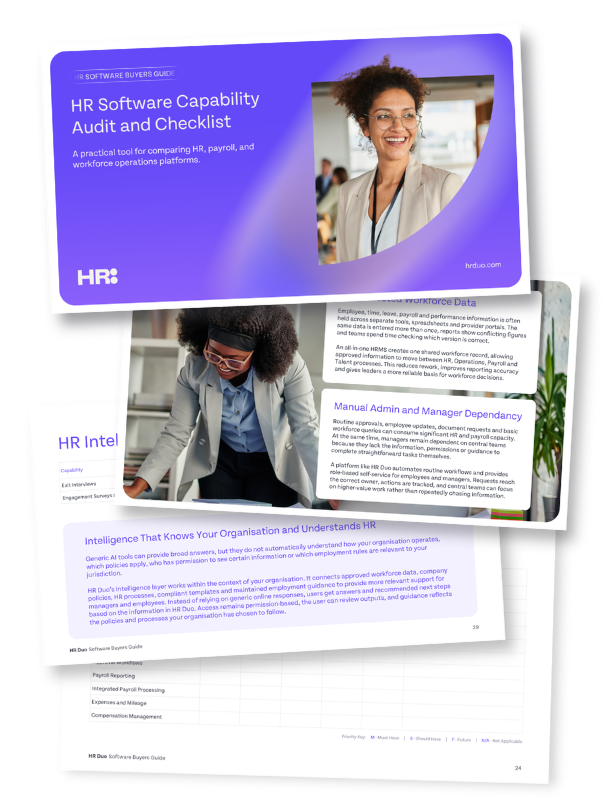
Feature comparisons, capability audits and detailed checklists can be extremely useful during initial HR software research. They help buyers compare suppliers consistently, identify missing functionality and spot gaps that might otherwise appear later during implementation or everyday use. They can also provide a clear structure for shortlisting HR platforms against your organisation’s requirements.
The risk comes when feature comparisons reward quantity over quality.
Two suppliers might place a tick beside performance management but one might provide a basic annual review form, and the other might connect goals, one-to-ones, 360 feedback, development actions, performance improvement plans and analytics.
Both can claim the feature, the difference appears in how the process works.
The same applies to employee relations support. A content library could provide template letters. A stronger HR compliance capability might connect guidance, the organisation’s policy, recommended steps, approvals, forms, letters and a full case record.
Buyers should use a feature checklist to identify whether a capability exists, then assess its depth against the needs of the business.
A feature that supports a critical process should receive more scrutiny than ten functions the organisation may never use.
-
Ask suppliers to demonstrate how important capabilities work from beginning to end.
-
Check what data connects, which steps remain manual and whether the process will work for employees and managers in real working conditions.
The goal isn't to purchase the highest number of tools, it's to use a thorough capability audit to identify gaps, compare depth and choose a reliable HR and workforce operating system
Don't Mistake a Low Starting Price for a Low Total Cost
HR software pricing can be difficult to compare. A supplier could advertise a low cost per employee but charge separately for implementation, payroll integration, reporting, support, mobile access, API use or each additional module, where another might include more within the core price but require a longer contract.
-
The total cost also extends beyond the licence.
-
Data migration requires time.
-
Managers need training.
-
Existing systems may remain in place during the transition.
-
Internal teams must test workflows, clean records and manage communications.
Poor adoption creates another cost, as a cheap platform becomes expensive when HR still runs processes manually because managers or employees don't use it.
Buyers should request a clear view of costs across at least three years. This should include implementation, data migration, modules, integrations, support, expected price increases and any minimum employee commitments.
They should also quantify the value the platform is expected to create.
-
How many hours could be removed from payroll preparation?
-
How much manager time is spent building rotas?
-
How many systems can be retired?
-
What is the cost of duplicated data entry?
-
How many employee queries could self-service resolve?
The CIPD argues that HR leaders need to build evaluation measures into HR initiatives and communicate their value using business outcomes rather than activity alone. After all, a credible business case shouldn't depend on inflated time-saving assumptions, it should connect the investment with a small number of measurable operational improvements.
Configuration Matters More Than Cosmetic Customisation
No standard HR Platform will mirror every existing process perfectly, so it's safe to assume that some change is healthy. Procurement provides an opportunity to remove duplicated approvals, simplify forms and stop carrying forward workarounds. But there is a difference between improving a process and surrendering a necessary business requirement.
The HR platform should adapt to material differences in working patterns, approval structures, permissions, locations and employment processes.
Ask how much administrators can configure without paying for development.
-
Can the organisation create different approval routes?
-
Can it support several leave years, working patterns or absence rules?
-
Can managers see different information according to role and location?
-
Can forms, fields and reporting structures reflect the business?
Be cautious at both extremes, as a rigid platform could force the company into unsuitable processes, and a heavily customised system can become expensive to maintain and difficult to update.
The strongest approach keeps the product standard where possible while allowing configuration around real organisational needs.
Implementation is Part of the Product
Software selection receives considerable attention. Implementation often receives less, yet the same platform can succeed in one organisation and fail in another because of the way it's introduced.
HR software changes how employees request leave, how managers approve work, how payroll receives data and how HR monitors compliance. It's an operating change, not simply an IT installation.
The supplier should provide a clear implementation method.
-
Who will map processes?
-
Who owns data migration?
-
How will records be validated?
-
What training will managers receive?
-
How will the platform be tested?
-
What happens after launch?
Internal ownership matters too, as HR can't hand the project to the supplier and expect adoption to follow automatically. Operations, payroll, finance, IT and representative managers should contribute to the design and testing.
Employees also need to understand what is changing and why. This is especially important when introducing time tracking, GPS or attendance controls. A process intended to improve accuracy can be interpreted as surveillance when communication is poor. The CIPP recommends clear change management, training and support when time and attendance tools affect how employees begin and finish work.
A supplier’s support model should also be examined before purchase.
-
Will the business speak with people who understand HR and payroll processes, or only receive technical ticket responses?
-
Is support included?
-
What happens during payroll-critical periods?
-
Who helps when a configuration problem affects an employment process?
A strong implementation team cannot compensate for unsuitable software just as suitable software cannot compensate for a weak implementation.
The buyer needs both.
Common Traps When Choosing HR Software
Many problems that appear during implementation can be traced back to decisions made during research and shortlisting. Requirements might focus too heavily on HR administration, integrations may not be tested in enough detail, or buyers might have assessed the software without considering adoption, reporting and data quality.
Several HR software procurement mistakes appear repeatedly:
-
Buying for HR alone. The platform might satisfy the people team while creating more work for managers, payroll or operations.
-
Replacing systems before fixing the process. Software can digitise a poor process without improving it.
-
Treating every integration as equal. A nightly file exchange is different from a live connection using one employee record.
-
Choosing for current headcount only. Growth could introduce more locations, managers, pay structures and approval routes.
-
Focusing on administrator screens. Employee and manager adoption will determine whether the data remains accurate.
-
Assuming compliance content stays current. Buyers should ask who reviews it, which jurisdictions it covers and how changes reach the workflow.
-
Accepting AI claims without governance detail. A fluent chatbot doesn't prove accuracy, security or organisational context.
-
Ignoring reporting until implementation. Reports depend on how structures, fields and processes are configured from the beginning.
-
Underestimating data quality. Moving poor data into a new HRMS doesn't make it reliable.
-
Failing to define success. Without agreed measures, the organisation cannot tell whether the investment solved the original problem.
These risks aren't reasons to delay HR software procurement, but rather the reasons to define your requirements clearly, involve the right stakeholders and test every important claim before making a decision.
.svg)